Building a Face Detector with OpenCV in C++
Hi everyone! In this blog post, I explain how to build a face detection algorithm with the machine learning components in OpenCV. We will use OpenCV to read an image from a camera and detect faces in it.
You can find all code for this blog post on GitHub.
Installing OpenCV
We use parts of OpenCV and the OpenCV_contrib module. The most convenient way to make sure you have access to these modules is building OpenCV from source. I used OpenCV version 4.2.0 on Ubuntu 16.04. For convenience, I included a bash script that installs the correct OpenCV version and all necessary dependencies in the accompanying repository.
The cv::dnn::Net class we use was added to OpenCV in version 3.4.10, so earlier versions might also work, but I did not test this.
CMake setup
We build the code with CMake.
Create a CMake project with a single executable and set the C++ standard to 14.
Then find the OpenCV package and link the executable against it.
The full CMake setup is available in the repository:
Getting an image from the camera
The first thing we need is a camera image.
Luckily, the cv::VideoCapture class makes this straightforward.
The flow is:
- create and open a
cv::VideoCapturefor the first camera - grab frames into a
cv::Mat - display frames in a loop
- exit on
Esc, then close window and release capture
See the full implementation here:
We can now display images captured from the camera.

Using cv::dnn::Net to load a pre-trained SSD face detection network
Now we start building the face detector.
We use cv::dnn::Net and load weights from a pre-trained Caffe model.
To keep functionality in one place, we create a FaceDetector class with:
std::vector<cv::Rect> detect_face_rectangles(const cv::Mat& frame)This method takes an input image and returns detected face rectangles.
Header and implementation:
Model files
Inside the constructor we use cv::dnn::readNetFromCaffe.
It needs two files:
A practical way to pass these file paths from CMake to C++ is through compile definitions. I originally found this approach in this StackOverflow answer.
Detection pipeline
The detection pipeline in detect_face_rectangles is:
- convert frame to blob with
cv::dnn::blobFromImage - set blob as network input
- run forward pass
- iterate detections
- keep detections above confidence threshold
- convert box coordinates to
cv::Rect
For a good explanation of blobFromImage, see this article.
Visualizing detected faces
Because the detector is implemented as a class, visualization is simple:
- create
FaceDetector - call
detect_face_rectangles - draw each rectangle using OpenCV's
rectanglefunction
See the complete example:
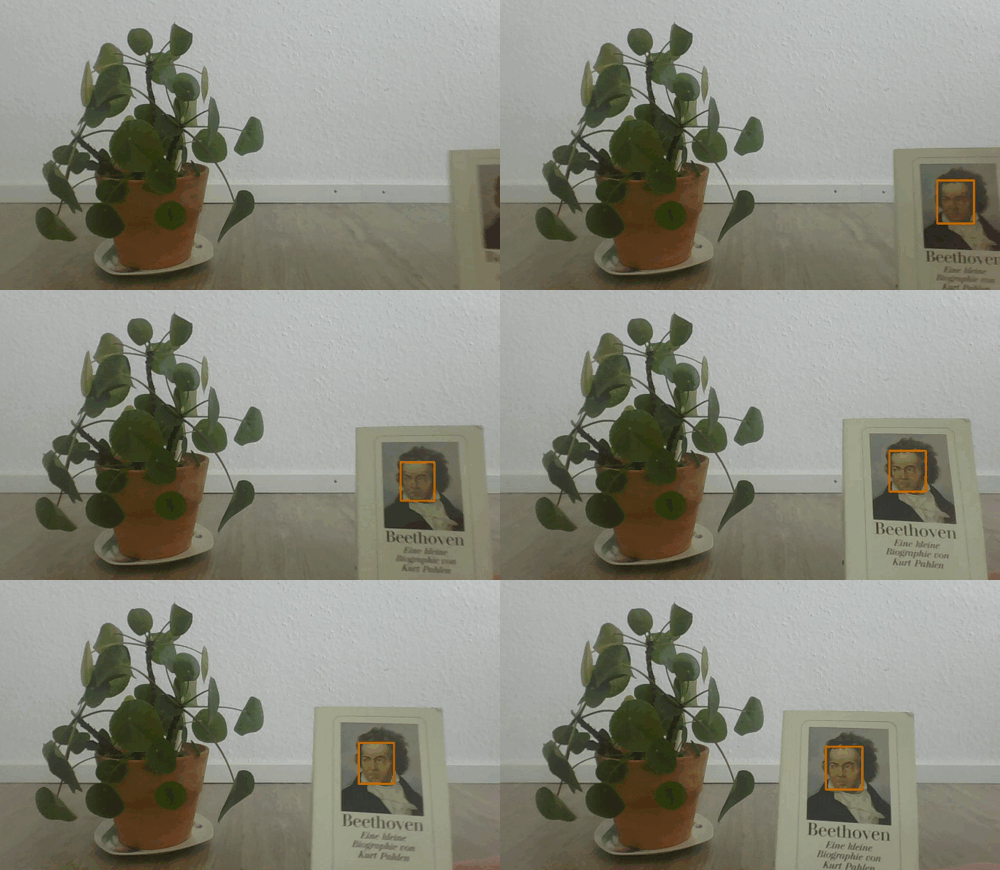
If we run this, we get a rectangle around Beethoven's face.
Wrap-up
This concludes the post about face detection in OpenCV. We saw how to grab a camera image and detect faces with a pre-trained SSD network.